> ## Documentation Index
> Fetch the complete documentation index at: https://docs.maddergames.com/llms.txt
> Use this file to discover all available pages before exploring further.
# Test in Unity
> Testing the Madder Controller in the Unity Editor
## Test your game in the Unity Editor
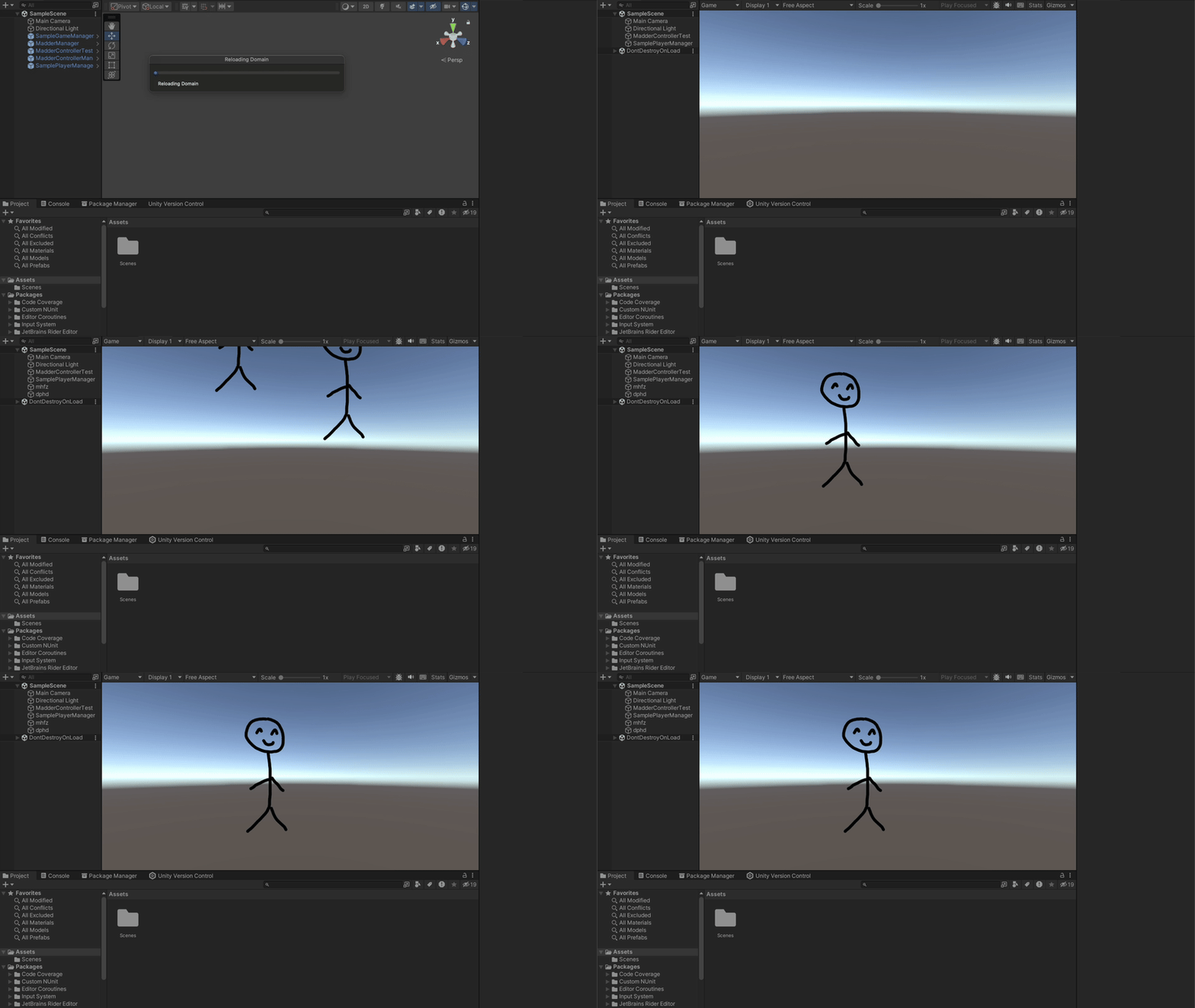
Press `Play` in the Unity Editor to test your game. Once the scene loads, press `J` to simulate a player joining
the game. The `MadderControllerTest` script will simulate the Madder Controller input. You should see a large stick
figure appear on the screen and move in a random direction. Press `J` again and you will see second stick figure appear
and move in another random direction.
In the `SamplePlayerInput` asset, we have also bound the player's movement to
to the WASD keys. This binding only applies to the first player to join; the
rest will be controlled solely by the Madder controller. We did this so it's
easier to directly test input when needed in the Unity Editor.
 ### Manual Testing
If you would like to test other inputs from the Madder controller, you can follow the same pattern that is found in the
`MadderControllerTest` script. Simply create a JSON object with the input in the following format:
```jsonControllerState theme={null}
{
"name":" "gamer1",
"joystick":
{
"x": 0.1f,
"y": 0.1f
},
"circle": true,
"triangle": false,
"plus": false
}
```
Simply creating a `MadderControllerState` object, parsing it into a JSON
string, and passing it to the `MadderManager` could work but is not
recommended. The Madder server sends the controller state with slightly
different formatting than the `MadderControllerState` object. The
`MadderManager` will handle the conversion for you. See the
[MadderManager](/madder-classes/madder-manager#updatemaddercontrollerstate)
documentation for more information.
### Manual Testing
If you would like to test other inputs from the Madder controller, you can follow the same pattern that is found in the
`MadderControllerTest` script. Simply create a JSON object with the input in the following format:
```jsonControllerState theme={null}
{
"name":" "gamer1",
"joystick":
{
"x": 0.1f,
"y": 0.1f
},
"circle": true,
"triangle": false,
"plus": false
}
```
Simply creating a `MadderControllerState` object, parsing it into a JSON
string, and passing it to the `MadderManager` could work but is not
recommended. The Madder server sends the controller state with slightly
different formatting than the `MadderControllerState` object. The
`MadderManager` will handle the conversion for you. See the
[MadderManager](/madder-classes/madder-manager#updatemaddercontrollerstate)
documentation for more information.