> ## Documentation Index
> Fetch the complete documentation index at: https://docs.maddergames.com/llms.txt
> Use this file to discover all available pages before exploring further.
# Next Steps
> Submitting your game to the Madder Store
## Submitting Your Game
Once you have completed your game, you can submit it to the Madder Store for review. The Madder Store is a curated store
where players can find and play games created by developers like you. To submit your game, follow these steps:
1. Go to the [Madder Developer Portal](https://developers.maddergames.com/) and log in.
2. Click the `Add Game` button to create a new game.
3. Fill out the prompts with information about your game, including a description, favicon, and cover image. You can also
specify the maximum number of players you would like to be able to connect to your game. This information will be used
to create a game page on the Madder Store. All fields are required.
4. Upload your game build in the `Game Assets` section.
5. Click `Save` to save your game.
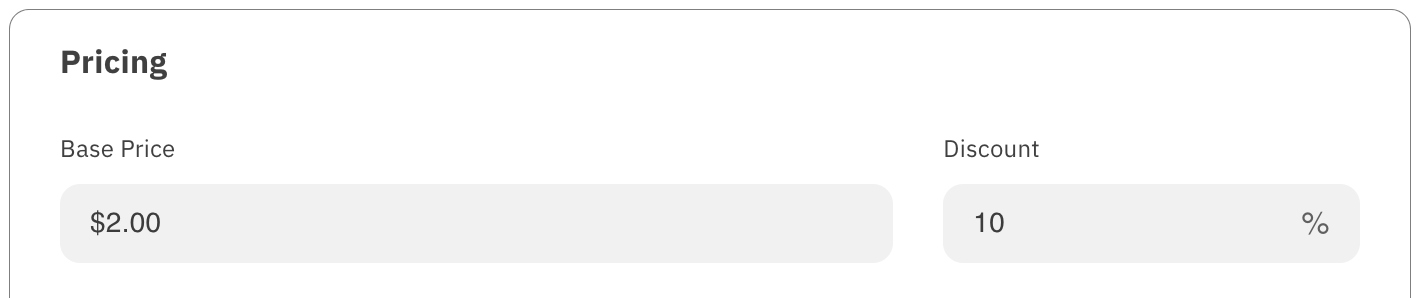
6. Set up payment in the `Pricing` section. This will take you to the Stripe website to set up an account. We use Stripe
to handle payments for games on the Madder Store, and to handle payouts to developers. After you have set up your Stripe
account, you can set the price for your game. If you would like to offer your game for free, you can set the price to 0.
You also set a discount for the game if you would like to do so at any point. Your pricing information is updated when
you submit your game.
 7. Click `Submit` to submit your game for review.
Once your game has been submitted, it will be reviewed by the Madder team. You will receive an email when your game has
been approved or if there are any issues that need to be addressed. If your game is approved, it will be published on the
Madder Store, and you can come back to the Developer Portal to make updates to your game or pricing information at any time.
Although we do not have a strict review process, we do reserve the right to
reject games that do not meet our quality standards or that violate our terms
of service. See the [Madder Store Guidelines](/madder-store-guidelines) for
more information
7. Click `Submit` to submit your game for review.
Once your game has been submitted, it will be reviewed by the Madder team. You will receive an email when your game has
been approved or if there are any issues that need to be addressed. If your game is approved, it will be published on the
Madder Store, and you can come back to the Developer Portal to make updates to your game or pricing information at any time.
Although we do not have a strict review process, we do reserve the right to
reject games that do not meet our quality standards or that violate our terms
of service. See the [Madder Store Guidelines](/madder-store-guidelines) for
more information